
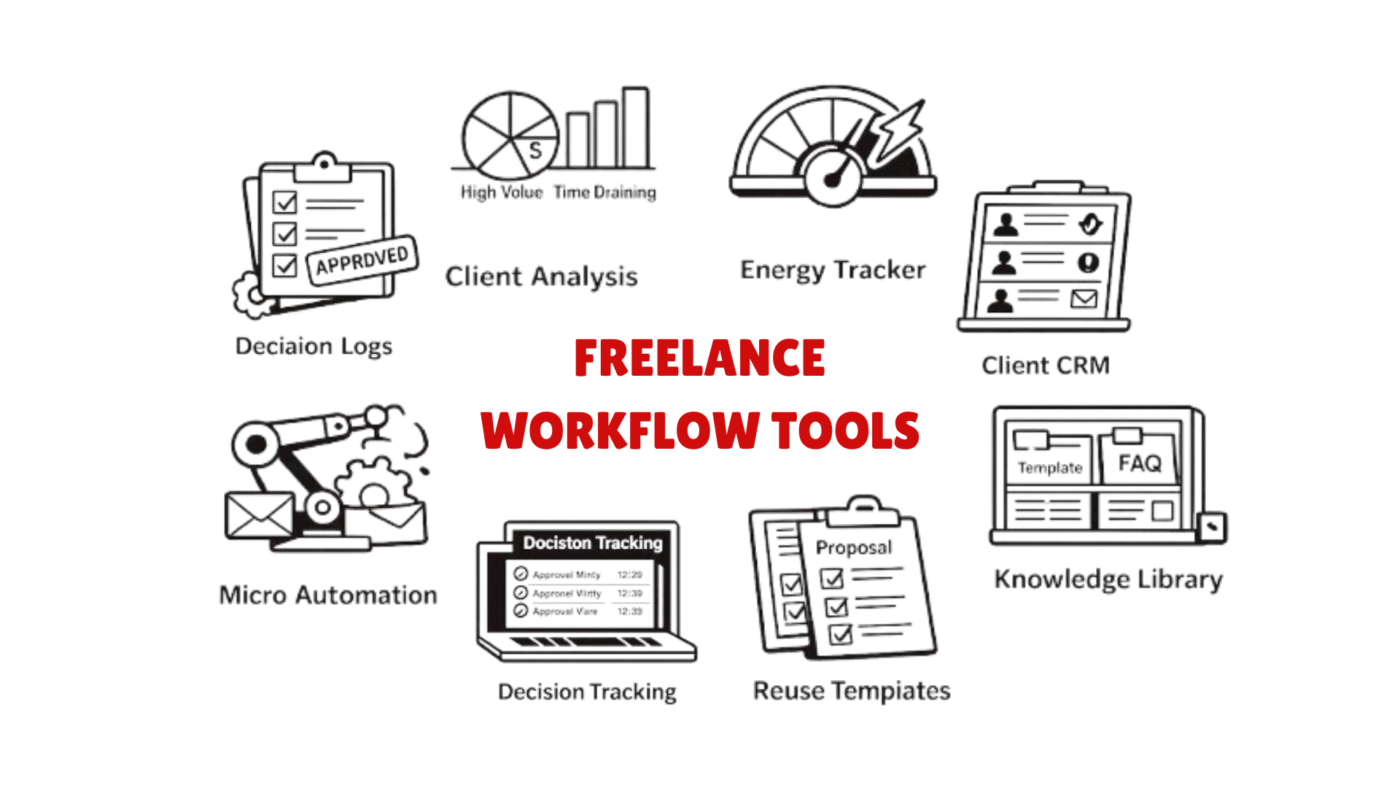
Most blogs talk about freelance tools like they are shopping lists. They mention popular platforms, automation apps, and design software. But very few explain how successful freelancers actually build a profitable workflow using the right freelance workflow tools.
The truth is, freelancers fail not because they lack skills, but because they lack a system. The right freelance workflow tools don’t just help you complete tasks. They help you reduce burnout, increase client retention, and improve long-term income stability.
This guide focuses on freelance tools that experienced freelancers secretly rely on but rarely discuss publicly.
Why Freelancers Lose Clients Even With Good Skills
Many freelancers assume that learning technical skills guarantees success. However, most client losses happen due to poor communication, delayed delivery, and inconsistent project management.
Professional freelancers build invisible systems behind their work. These systems rely heavily on freelance workflow tools that manage deadlines, client expectations, and productivity cycles.
Unlike common advice online, successful freelancers select tools based on behavioral efficiency rather than popularity.
1. Decision Tracking Tools (The Secret to Faster Client Approvals)
Most freelancers struggle with endless revisions. Clients often forget previous instructions, causing confusion and extra unpaid work.
Decision tracking freelance workflow tools help freelancers document every client approval, change request, and feedback stage.
Rare Insight
Top freelancers use decision logs to protect their time. Instead of arguing with clients, they simply refer to documented approvals.
Tools That Work Well
-
Notion Decision Logs
-
Airtable Client Revision Trackers
-
ClickUp Approval Workflow Templates
👉 These freelance tools reduce revision cycles and increase client trust.
2. Energy-Based Productivity Tools (Not Time Management Tools)
Most blogs suggest time tracking tools. But high-earning freelancers focus on energy tracking instead of time tracking.
Energy tracking freelance workflow tools help freelancers schedule creative work during peak mental performance hours.
Why This Works
Freelancing requires creative decision making. Productivity depends more on mental energy than total working hours.
Underused Tools
-
Rise Calendar Energy Analytics
-
Sunsama Daily Energy Planner
-
RescueTime Focus Pattern Tracker
Freelancers who use these freelance tools often increase productivity without working longer hours.
3. Client Behavior Analysis Tools
Freelancers usually track their performance, but very few track client behavior patterns. This is one of the most overlooked freelance workflow tools strategy.
Client behavior tools help freelancers identify:
-
Clients who delay payments
-
Clients who request unlimited revisions
-
Clients who offer long-term contracts
Smart Freelancer Strategy
Experienced freelancers categorize clients into “high value”, “time draining”, and “growth opportunity” groups using freelance tools.
Tools Used by Agency Freelancers
-
HoneyBook Analytics
-
Bonsai Client Performance Reports
-
HubSpot Freelance CRM Setup
These freelance workflow tools help freelancers prioritize profitable clients.
4. Knowledge Reuse Systems (Freelancer Income Multiplier)
Most freelancers repeat the same research, explanations, and onboarding instructions for every client. This wastes massive amounts of time.
Knowledge reuse freelance workflow tools allow freelancers to build reusable content libraries.
What Top Freelancers Store
-
Proposal templates
-
Client onboarding instructions
-
FAQ responses
-
Project checklist frameworks
Tools That Support Knowledge Reuse
-
Obsidian Knowledge Vault
-
Notion Freelancer Wiki
-
Slite Documentation Hub
These freelance tools turn repetitive work into scalable assets.
5. Micro-Automation Tools (Small Automations That Save Hours)
Automation is often discussed, but most freelancers attempt complex automations that fail. Smart freelancers focus on micro-automation freelance workflow tools.
Micro automation focuses on:
-
Automatic invoice reminders
-
Client onboarding email sequences
-
File organization automation
-
Proposal follow-up reminders
Practical Tools
-
Zapier Micro Workflow Chains
-
Make (Integromat) Client Flow Automation
-
TidyCal Booking Automation
These freelance workflow tools save time without requiring technical expertise.
How To Choose The Right Freelance Workflow Tools
Freelancers should not choose tools based on popularity. Instead, they should choose tools based on workflow bottlenecks.
Ask these questions before selecting freelance tools:
-
Which task causes the most delays?
-
Which client activity wastes time?
-
Which process repeats every project?
-
Which work stage causes stress?
The best freelance tools remove workflow friction rather than adding features.
Future Trend: AI Assisted Workflow Decision Tools
The next generation of freelance workflow tools will focus on predictive work management. Instead of tracking tasks, AI tools will predict project delays, client risks, and burnout levels.
Freelancers who adopt predictive freelance tools early will gain a strong competitive advantage.
Final Thoughts
Freelancing success is no longer about working harder. It is about building intelligent systems. Freelancers who implement advanced freelance tools can increase income, improve client satisfaction, and reduce workload stress.
Instead of searching for more tools, freelancers should focus on building workflows that support consistent growth.
Frequently Asked Questions (FAQs)
What are freelance workflow tools?
Freelance tools are software and digital systems that help freelancers manage projects, track client communication, automate repetitive tasks, and improve overall productivity. These tools help freelancers organize their work and deliver projects more efficiently.
Why are freelance workflow tools important for freelancers?
Freelance tools help freelancers reduce manual work, avoid missed deadlines, and maintain better client relationships. They also improve time management and allow freelancers to handle multiple projects without feeling overwhelmed.
Which freelance workflow tools are best for beginners?
Beginners can start with simple freelance tools like Notion for project organization, Trello for task tracking, and Bonsai for client and invoice management. These tools are easy to use and help build structured work systems.
Are free freelance workflow tools good enough?
Yes, many free freelance tools provide essential features like task management, note organization, and automation. However, paid tools often offer advanced automation, analytics, and client management features that help freelancers scale their business.
How do freelance tools improve productivity?
Freelance tools improve productivity by automating repetitive tasks, organizing project timelines, and helping freelancers track priorities. They reduce distractions and allow freelancers to focus on creative and high-value work.
Read More:
